How to decide between Manual Annotation, Gradient-Field, and ML Segmentation
Planet Ruler offers three distinct methods for horizon detection, each with different trade-offs. This guide helps you choose the best method for your specific use case.
Quick Decision Tree
Method Overview
Comparison Table
Feature |
Manual Annotation |
Gradient-Field |
ML Segmentation |
Sagitta |
|---|---|---|---|---|
Setup Time |
Instant (built-in) |
Instant (built-in) |
5-10 min (first time model download) |
Instant (built-in) |
Processing Time |
30-120 sec (user-dependent) |
15-60 sec (automated) |
30-300 sec (model inference) |
<5 sec |
Dependencies |
None (tkinter only) |
None (scipy only) |
PyTorch + SAM (~2GB) |
None |
Memory Usage |
<100 MB |
<200 MB |
2-4 GB |
<100 MB |
Accuracy |
Highest (user-controlled) |
Good (clear horizons) |
Variable (depends on scene) |
Lower (best as first stage) |
Robustness |
Works everywhere |
Needs clear edges |
Handles complexity |
Needs detected limb |
Reproducibility |
Low (user variation) |
High (deterministic) |
High (deterministic) |
High (deterministic) |
Batch Processing |
Not practical |
Excellent |
Good (if GPU available) |
Excellent (as stage 1) |
Best Used As |
Standalone or stage 2 |
Standalone |
Standalone |
Stage 1 warm-start |
Method 1: Manual Annotation
Best for: First-time users, educational settings, challenging images
How It Works
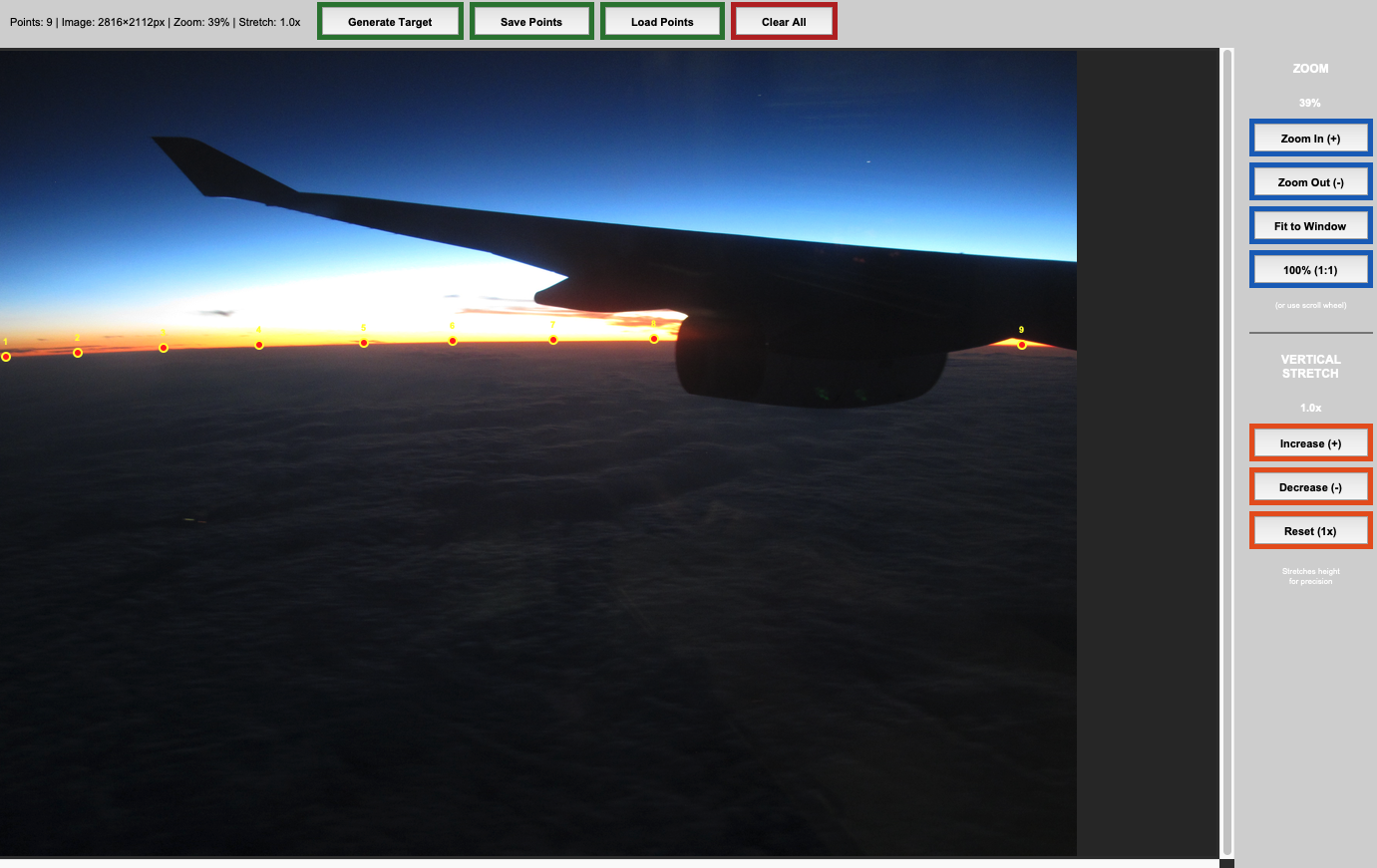
Manual annotation uses an interactive GUI where you click points along the horizon.
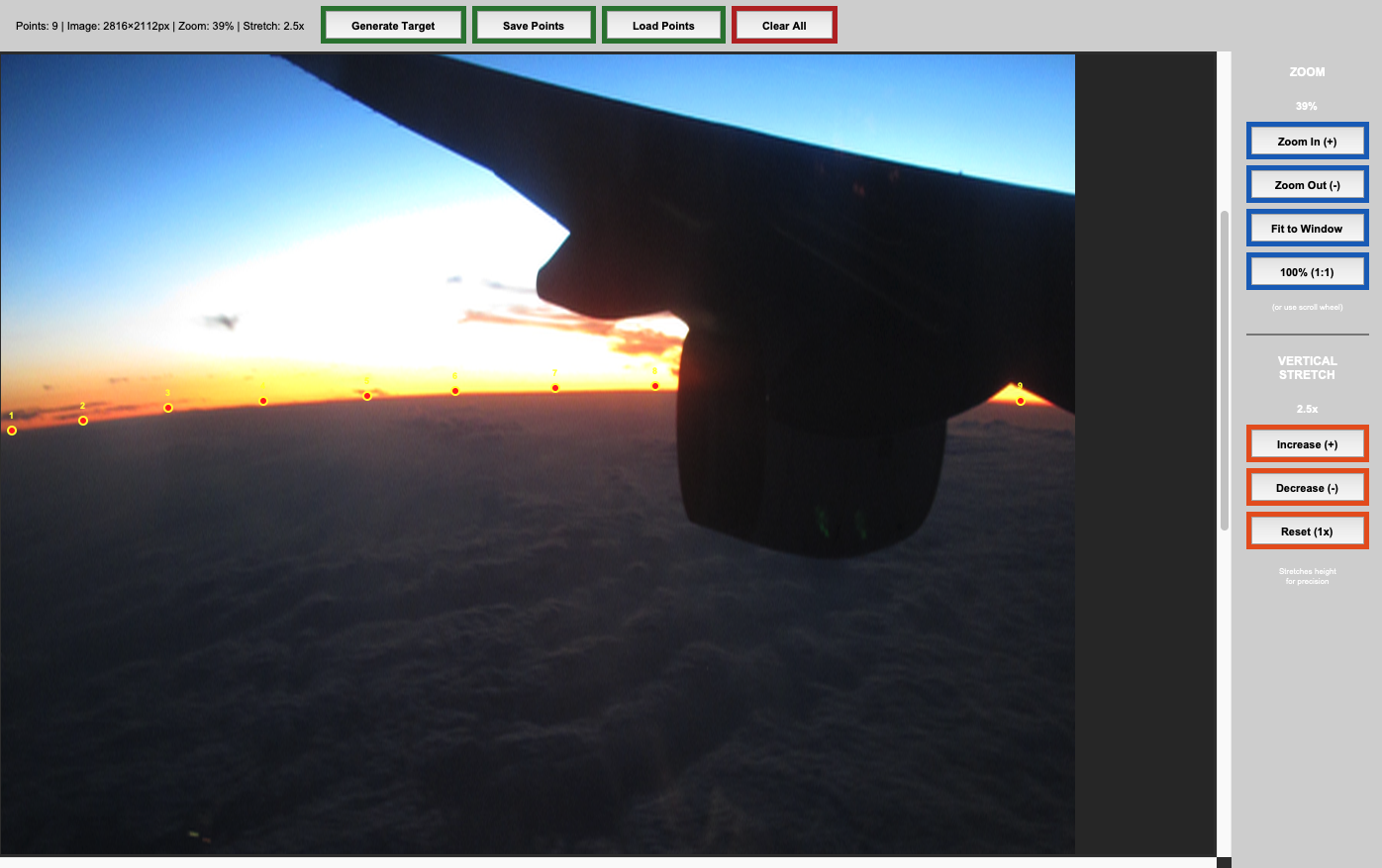
It also lets you stretch the image vertically to exaggerate curvature and enhance accuracy.
Strengths:
Limitations:
When to Use
Use manual annotation when:
You’re analyzing 1-5 images
Image quality is poor (scratched windows, haze, clouds)
The horizon is ambiguous, obstructed, and/or complex
You want hands-on learning
You need to work immediately without dependencies
Example Usage
import planet_ruler as pr

# Load observation
obs = pr.LimbObservation("image.jpg", "config.yaml")

# Manual annotation (opens GUI)
obs.detect_limb(detection_method="manual")

# Fit annotated points
obs.fit_arc(max_iter=1000)
Tip
Best practices for clicking:
Cover as much horizontal area as you can
Click 10-20 points (more isn’t always better)
Concentrate points where curvature is higher
Zoom in or use Stretch for precision
Right click (undo) or clear points to undo bad placements
Visual Examples
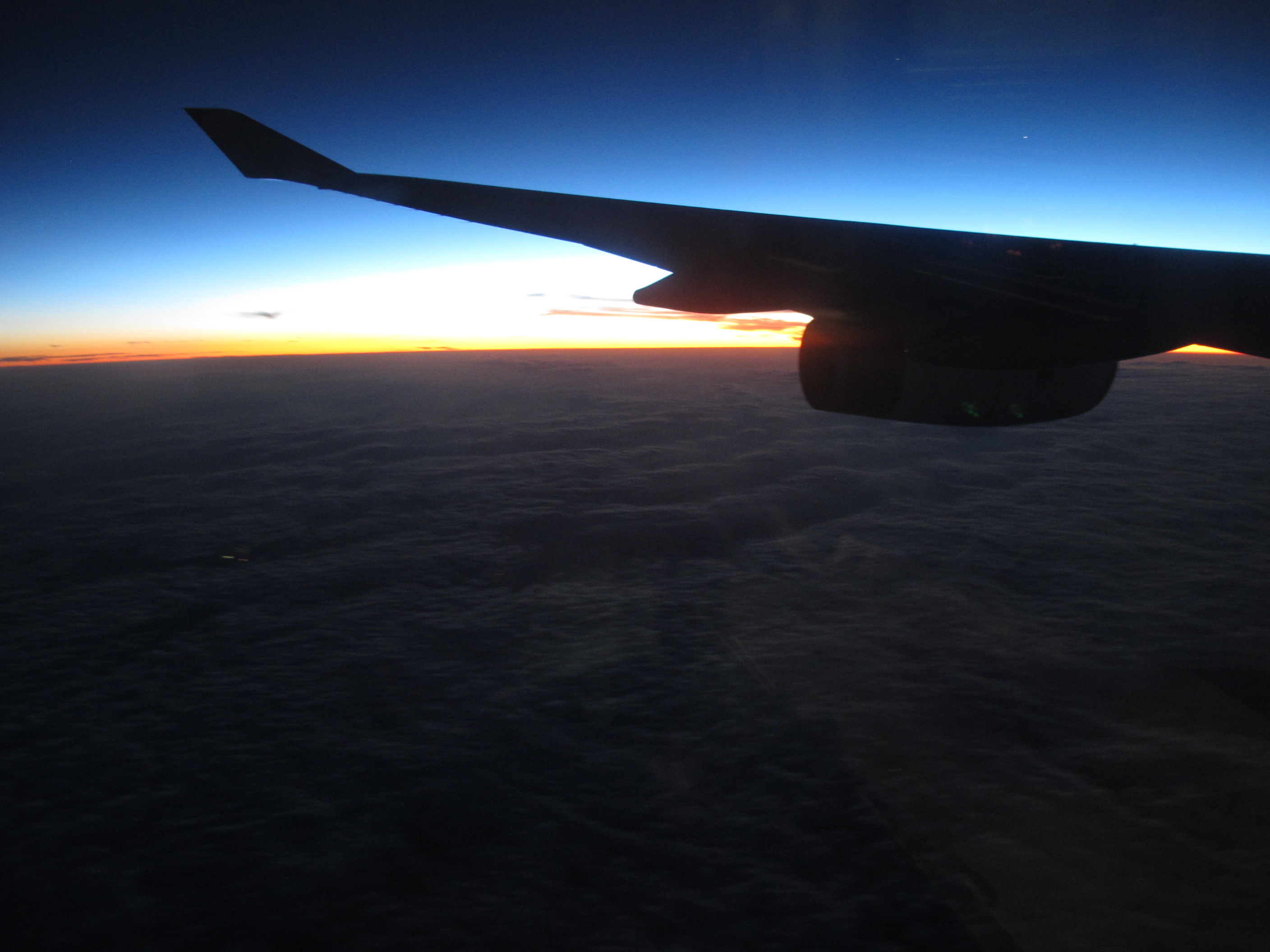
Raw image |
Human-Annotated |
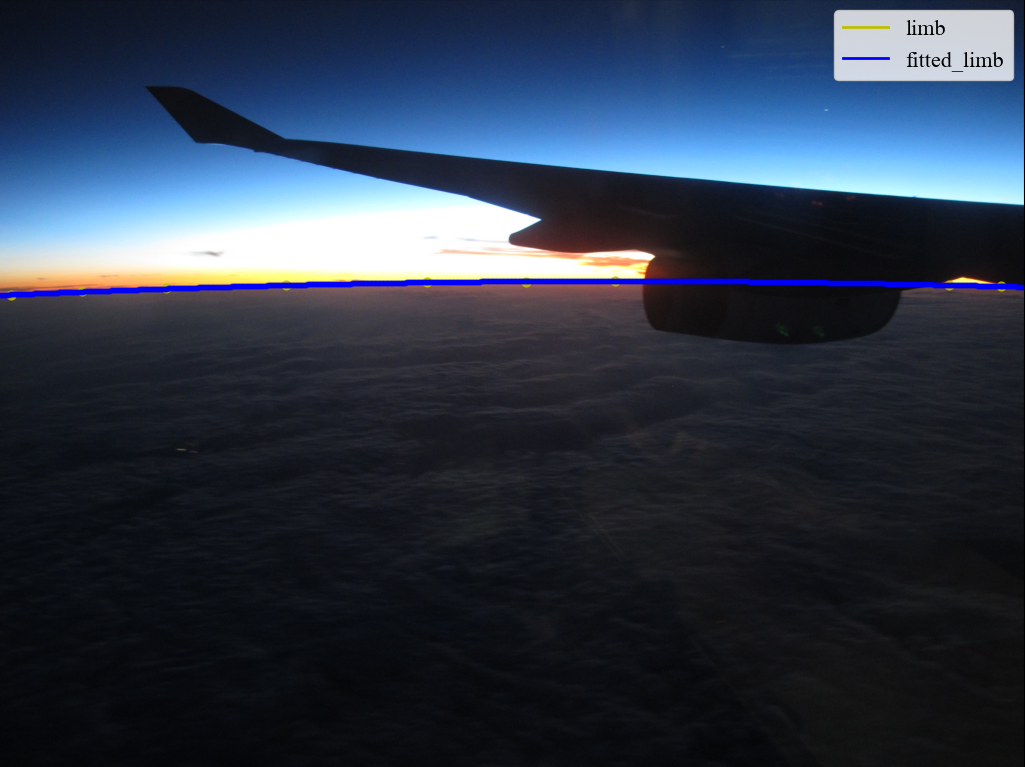
Planet radius fitted |
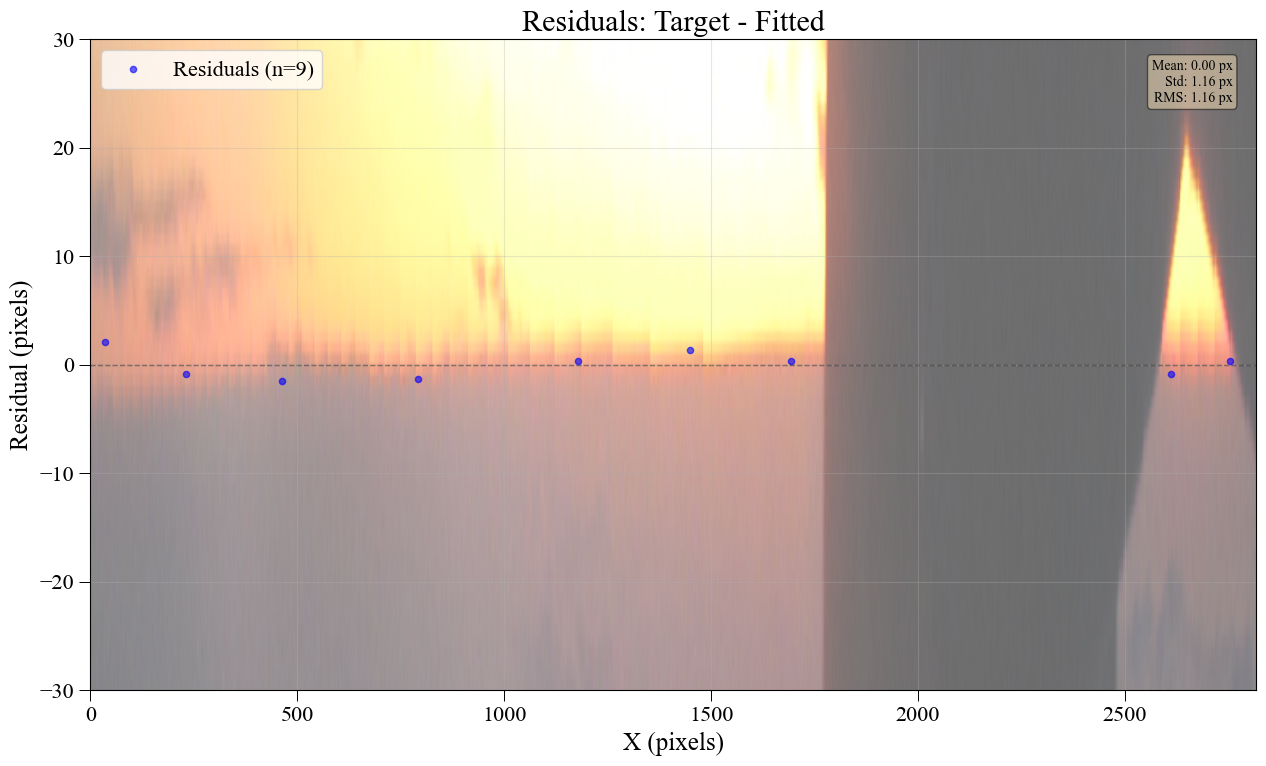
Fit residuals |
Example 1: Clear Horizon
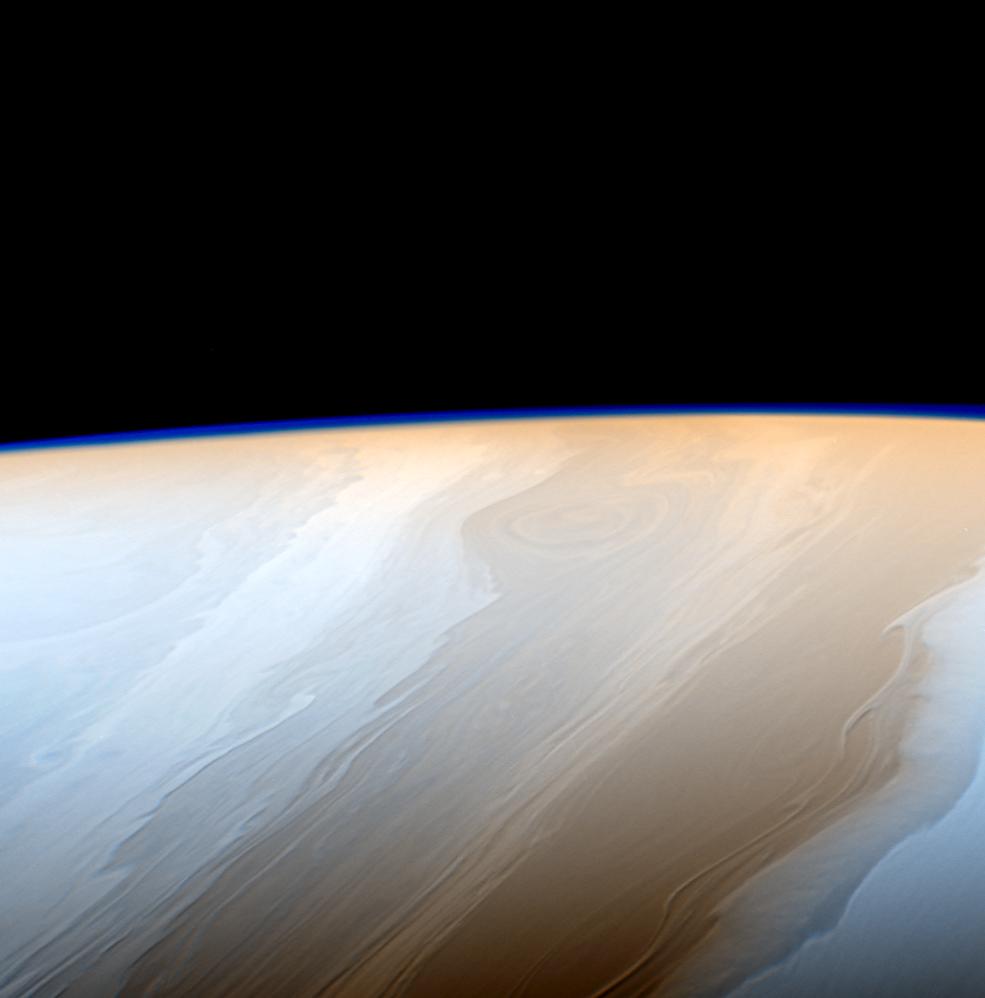
Manual annotation goes quickly with clear horizons.
Example 2: Obstructions
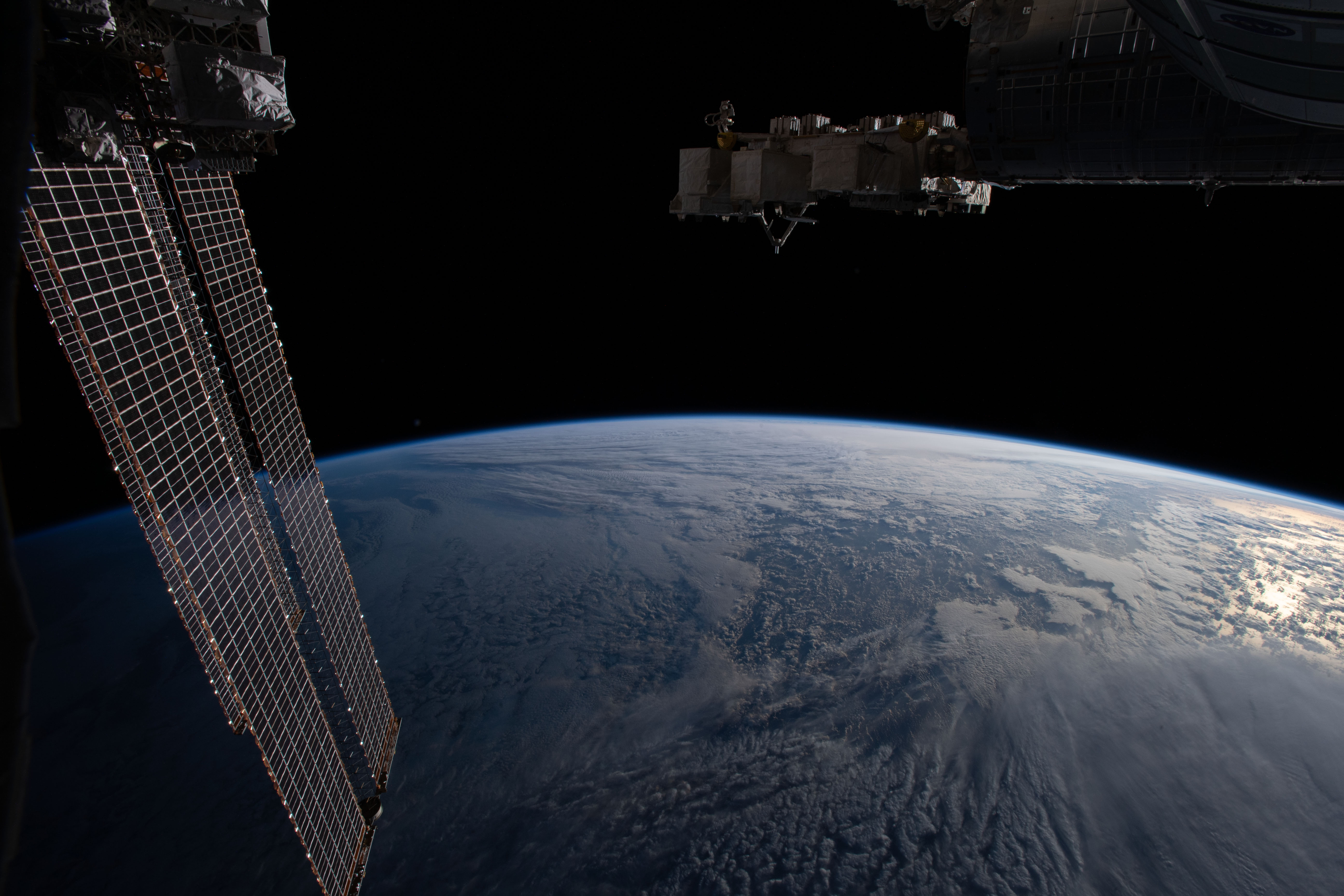
User can avoid obstructions that can be tricky for automated methods.
Example 3: Complex Scene
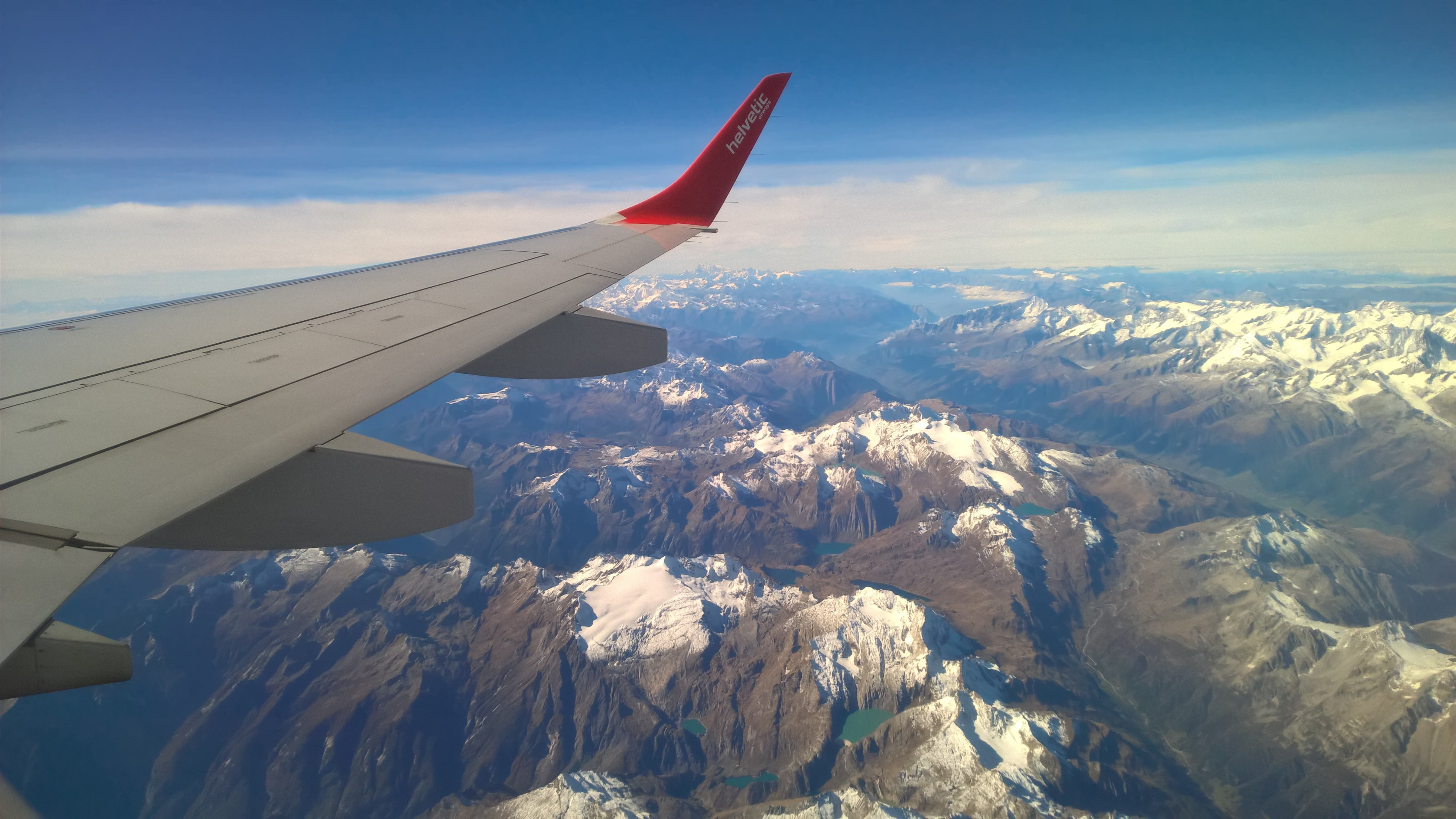
Anything besides a human would struggle with this.
Method 2: Gradient-Field Detection
Best for: Batch processing, clear horizons, reproducible workflows
How It Works
Gradient-field detection skips explicit horizon detection entirely. Instead, it optimizes parameters directly on the image using brightness gradients perpendicular to the predicted horizon.
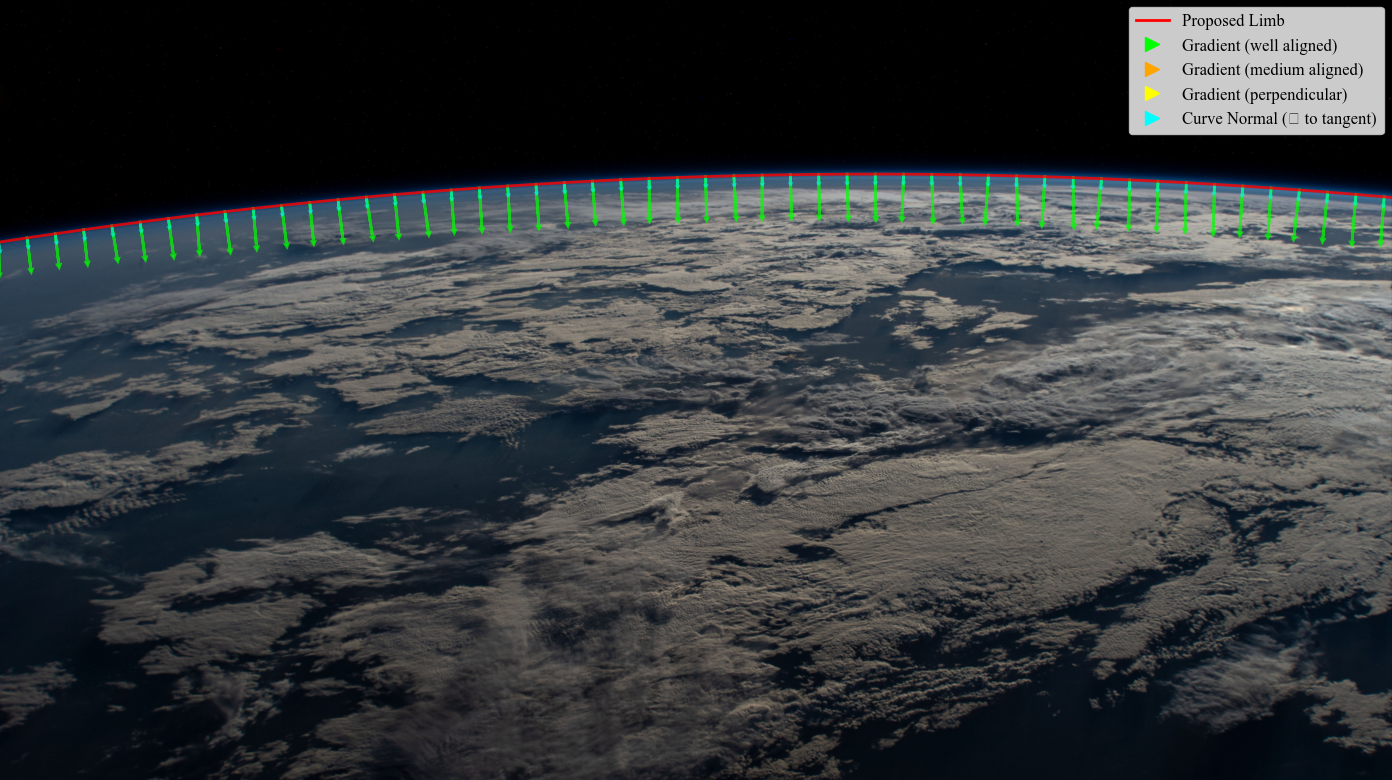
A ‘good’ horizon is one with high brightness gradient (flux) traversing its boundary.
The method uses multi-resolution optimization (coarse → fine) to avoid local minima.
Strengths:
Limitations:
When to Use
Use gradient-field when:
You’re batch processing many images (10+)
Horizons are sharp and well-defined
You want reproducible results
You don’t have time for manual annotation
You want lightweight processing (no GPU needed)
Images are clean with minimal obstruction
Example Usage
import planet_ruler as pr

# Load observation
obs = pr.LimbObservation("image.jpg", "config.yaml")

# Gradient-field optimization (no detection step!)
obs.fit_gradient(
    resolution_stages='auto',      # Multi-resolution: 0.25 → 0.5 → 1.0
    image_smoothing=2.0,           # Remove high-freq artifacts
    kernel_smoothing=8.0,          # Smooth gradient field
    minimizer='dual-annealing',
    minimizer_preset='balanced',
    max_iter=1000
)

# Note: No detect_limb() call needed!
Tip
Tuning parameters:
Increase
image_smoothing(2.0 → 4.0) for noisy imagesIncrease
kernel_smoothing(8.0 → 16.0) for hazy horizonsUse
prefer_direction="up"if above the horizon is darker than belowMore resolution stages (e.g., [8,4,2,1]) or
minimizer_preset='robust'for difficult cases
Visual Examples
Inside the Process
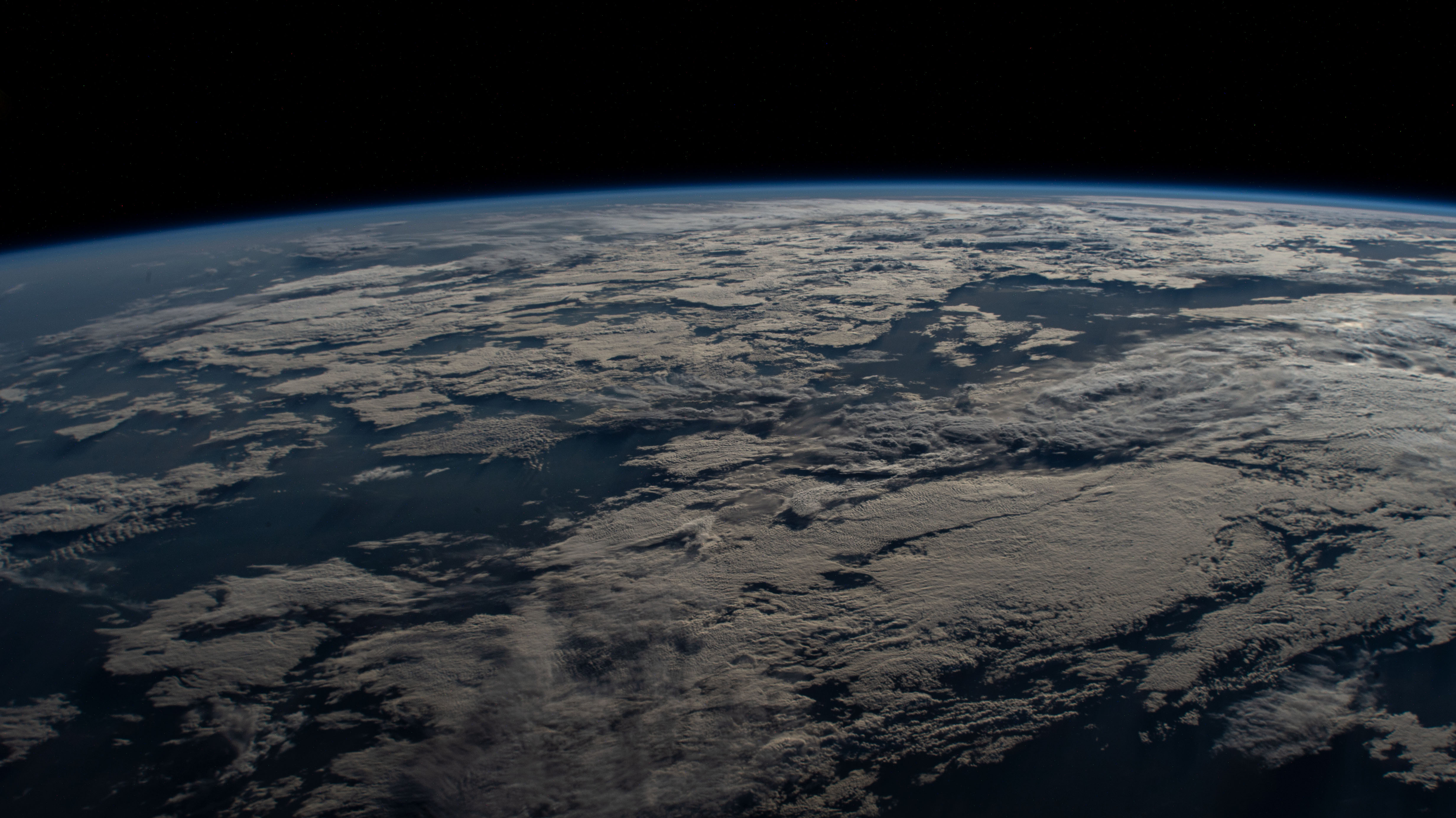
Raw image |
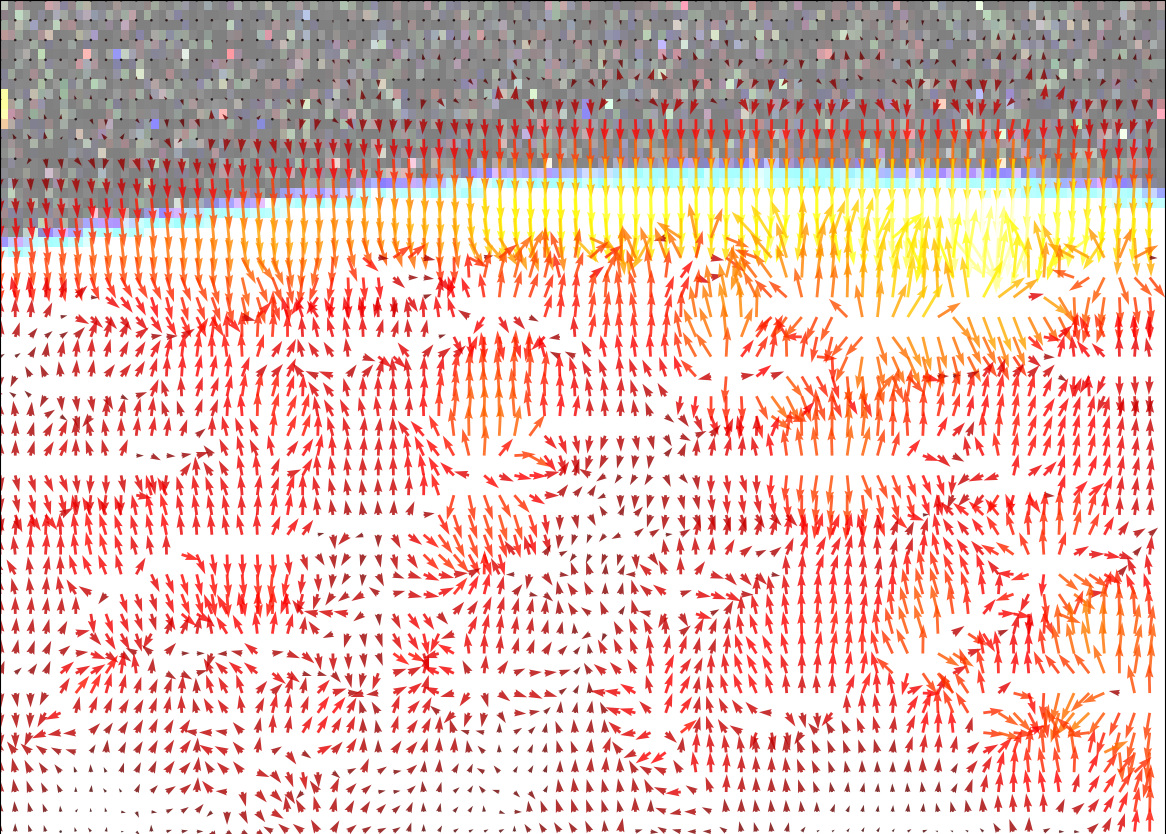
Gradient field |
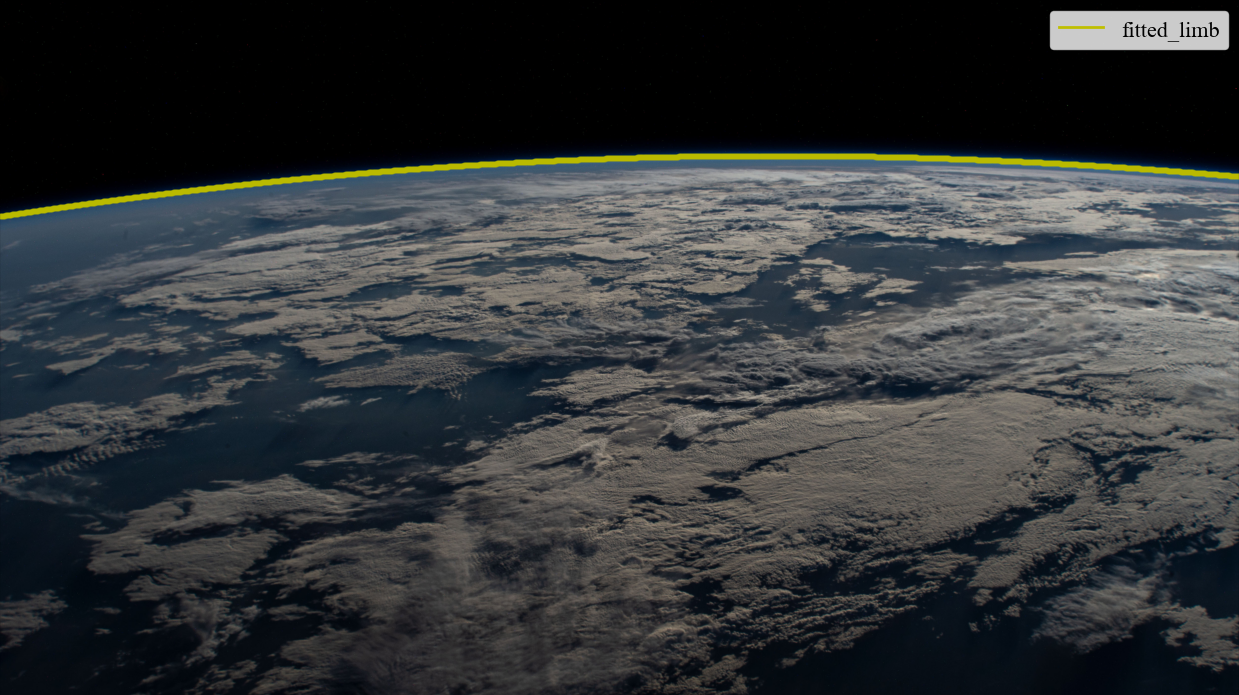
Planet radius fitted |
“Flux” through fitted radius |
Example 1: ISS Earth Photo
Caption: Gradient-field works perfectly on clean spacecraft imagery.
Example 2: New Horizons Photo
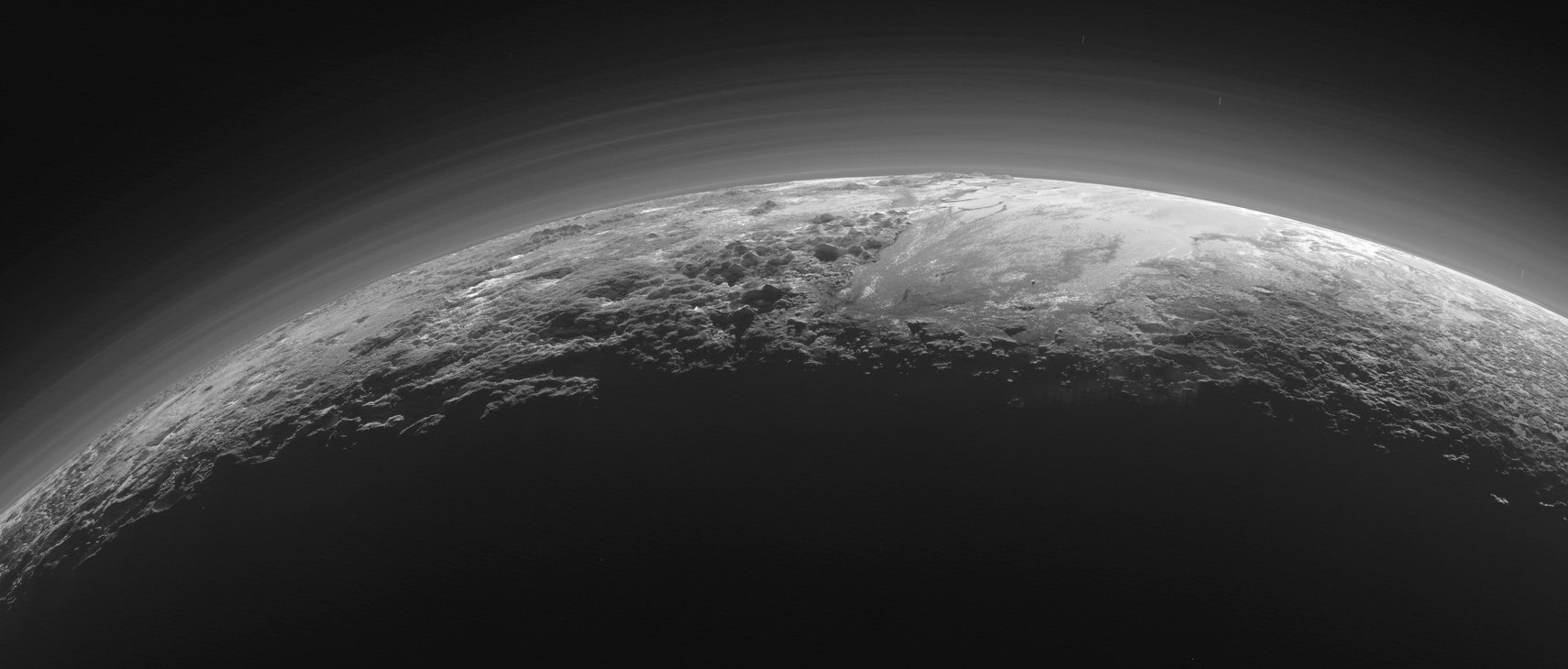
Caption: Hazy atmospheric boundary detected accurately. Multi-resolution helps.
Example 3: Failure Case
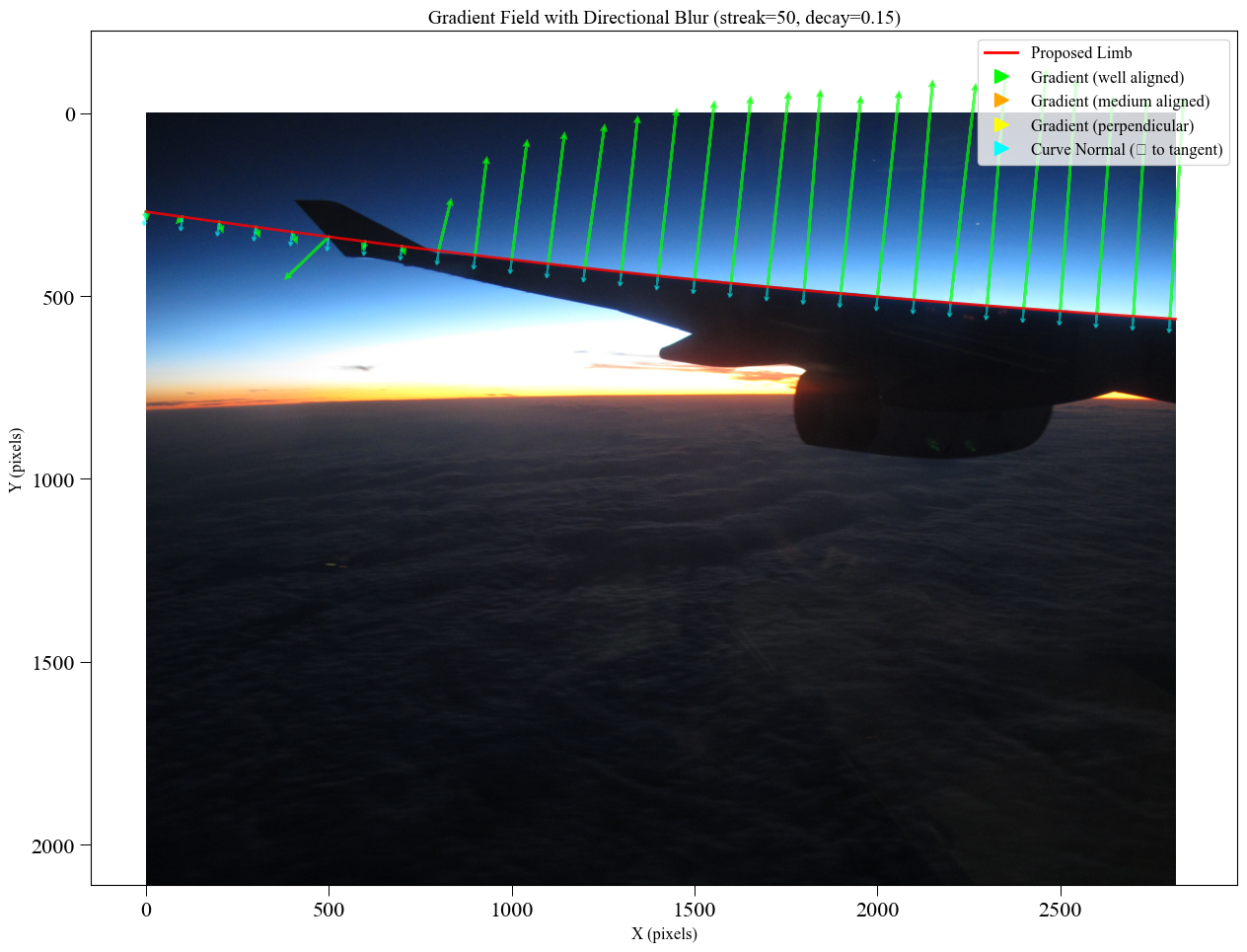
In this case it may have been better to go with manual annotation…
Performance Notes
Typical timing (Intel i7, 2000x1500 image):

Resolution stages [4, 2, 1]:
- Stage 1 (500x375):     8 sec
- Stage 2 (1000x750):   12 sec
- Stage 3 (2000x1500):  20 sec
Total: ~40 seconds

Memory usage: <200 MB
Method 3: ML Segmentation
Best for: Complex scenes, when you have GPU + PyTorch installed
How It Works
ML segmentation such as Meta’s Segment Anything Model (SAM) can be used to automatically detect the planetary body. In automatic mode (interactive=False), the model assumes the two largest masks are the planet and sky and labels their boundary as the horizon.
|
Original |
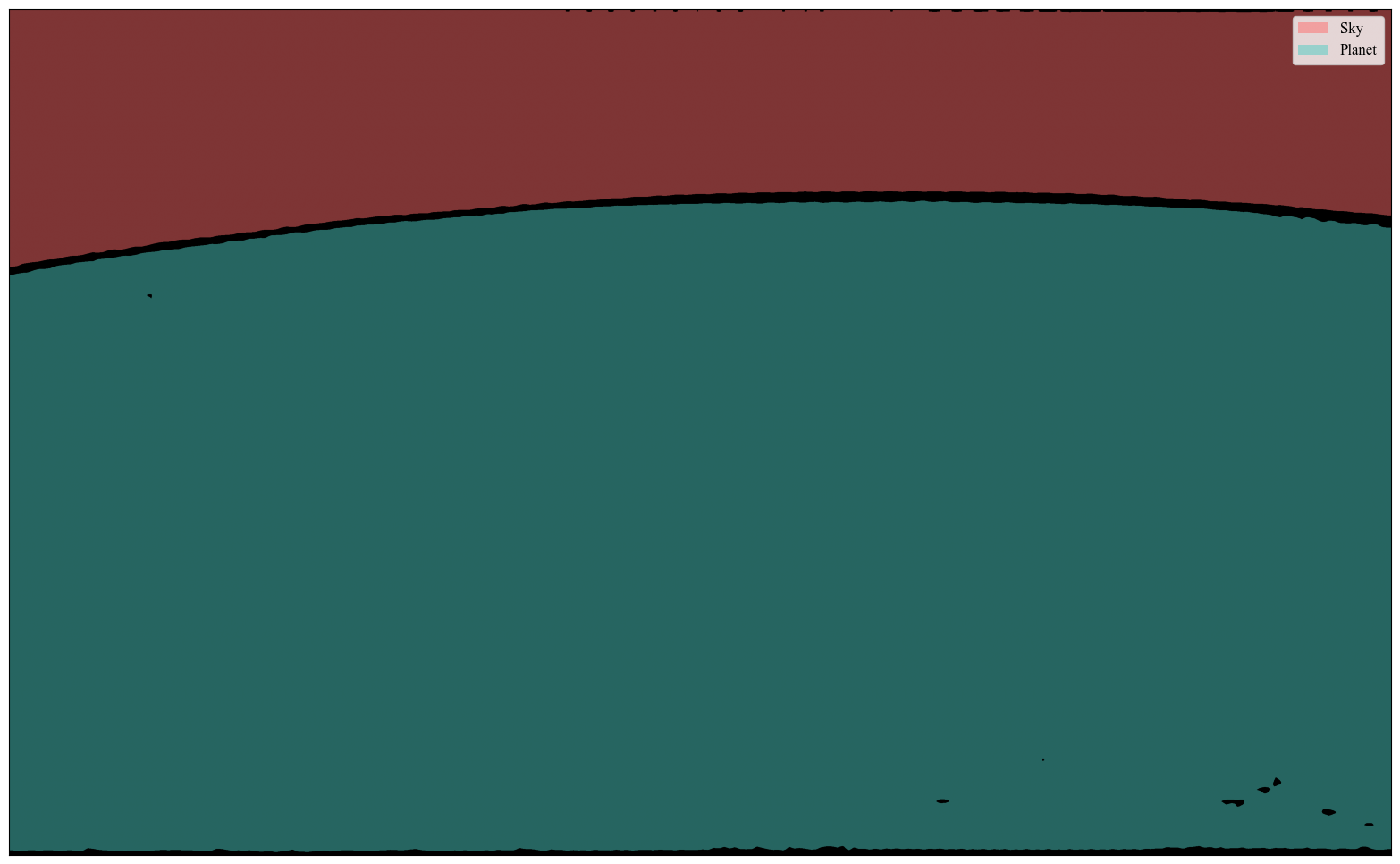
Segmented image |
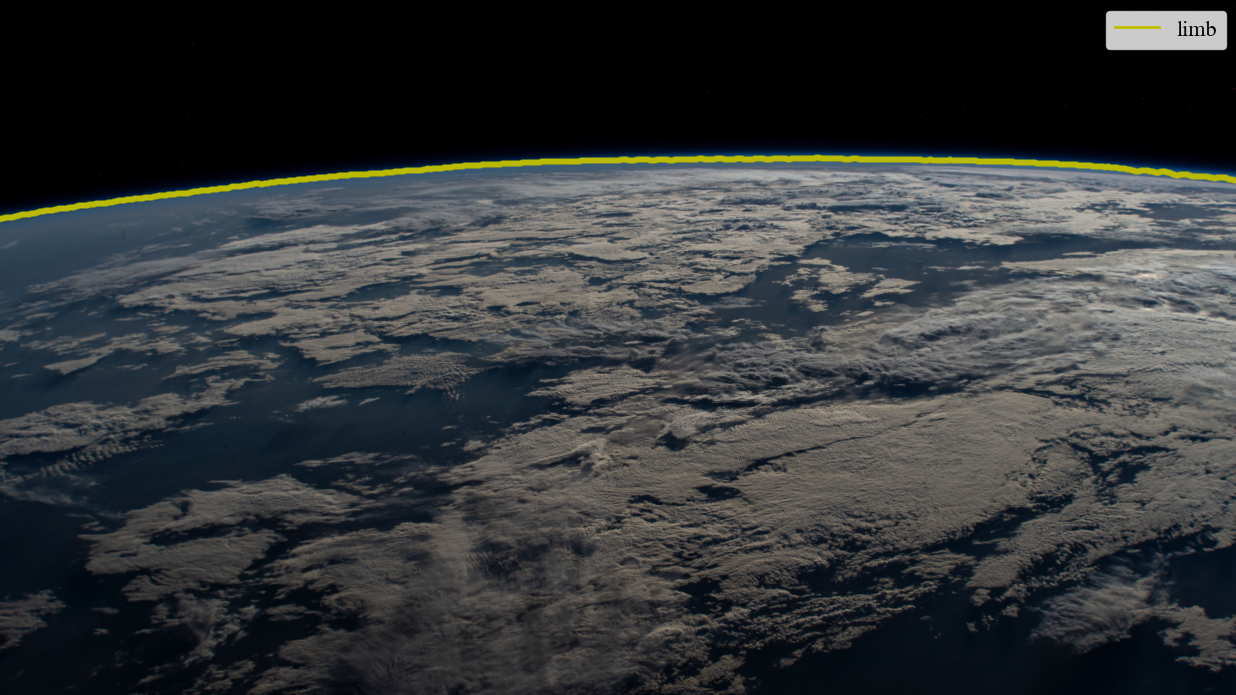
Detected limb |
When set to interactive, however, the user is allowed to validate which masks belong to the sky and planet (or which to exclude) before the horizon is determined. This can help with obscuring objects like airplane wings or clouds. Note this method still isn’t foolproof – stay tuned for updates!
|
Original |
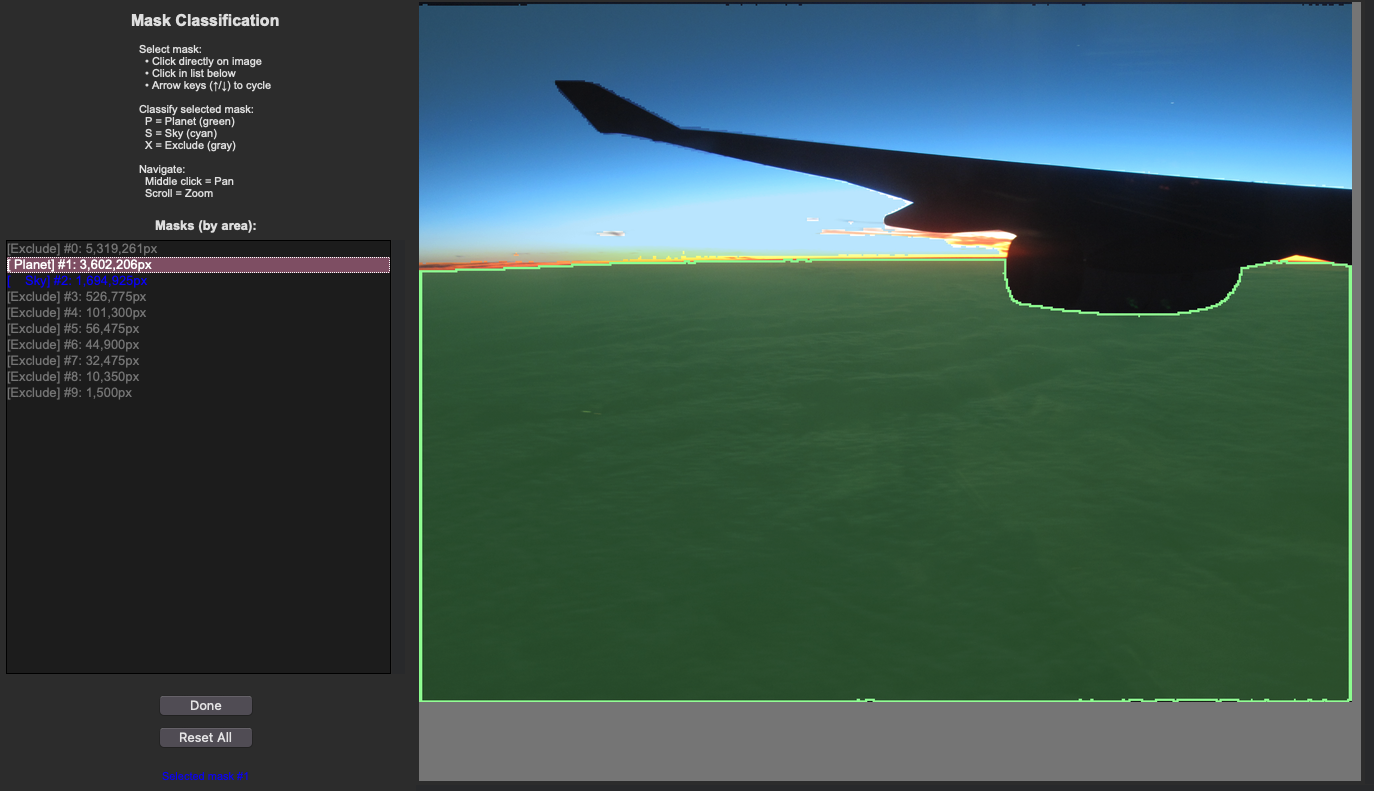
User Mask Annotation |
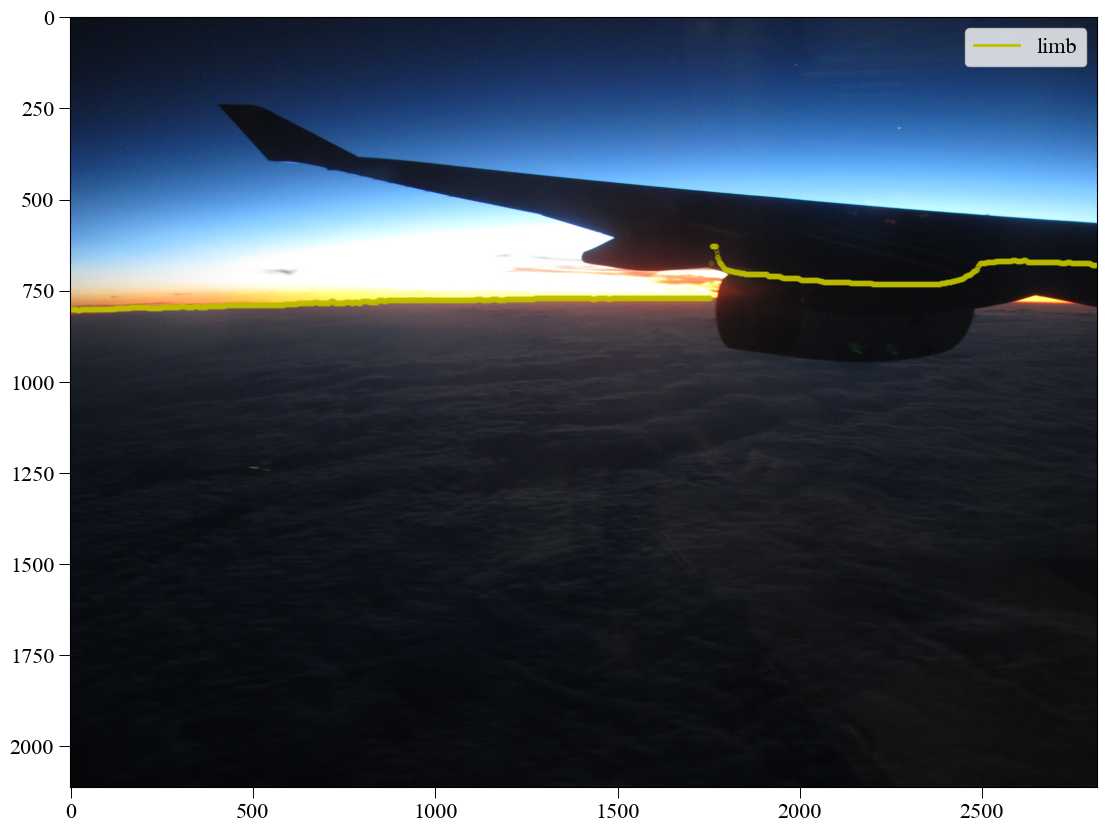
Detected limb |
Strengths:
Limitations:
When to Use
Use ML segmentation when:
You have PyTorch and GPU available
Scenes are complex (clouds, haze, terrain)
You want to avoid manual clicking
You’re willing to accept occasional failures
Images have clear color/brightness differences at horizon
You’re processing a moderate number of images (5-50)
Example Usage
import planet_ruler as pr

# First time only: model will auto-download (~2GB)
# This takes 5-10 minutes on first use

# Load observation
obs = pr.LimbObservation("image.jpg", "config.yaml")

# ML segmentation
obs.detect_limb(detection_method="segmentation")

# Always inspect the result!
obs.plot()

# If detection looks good, proceed
obs.fit_arc(max_iter=1000)
Warning
Always visually inspect ML segmentation results before fitting! The model can occasionally misidentify features as the horizon. If the detection looks wrong, use interactive mode or manual annotation instead.
Installation
# Install PyTorch (CPU version)
pip install torch torchvision --index-url https://download.pytorch.org/whl/cpu

# Install Segment Anything Model
pip install segment-anything

# For GPU support (faster, requires CUDA)
pip install torch torchvision --index-url https://download.pytorch.org/whl/cu118
Method 4: Sagitta (Arc-Height) Estimation
Best for: Quick radius estimates, warm-starting a subsequent arc fit
How It Works
The sagitta method estimates the planetary radius directly from the vertical “sag” of the horizon arc — the pixel distance between the highest and lowest points of the detected limb. It runs a fast 2-D optimizer over curvature and tilt and does not need differential evolution, making it much faster than a full arc fit.
Because it updates the parameter bounds automatically, it is especially useful
as a first stage that narrows the search space for a subsequent
fit_arc or fit_gradient call.
Strengths:
Limitations:
detect_limb() firstWhen to Use
Use the sagitta method when:
You want a fast sanity-check radius before committing to a full fit
You want to warm-start a slower arc or gradient-field optimization
You are processing many images and speed is critical
Example Usage
import planet_ruler as pr

obs = pr.LimbObservation("image.jpg", "config.yaml")
obs.detect_limb(detection_method="manual")

# Stand-alone sagitta estimate (fast)
obs.fit_sagitta()
print(f"Quick radius estimate: {obs.best_parameters['r']/1000:.0f} km")

# Or chain sagitta → arc for speed + accuracy (recommended combo)
obs.fit_limb(stages=[
    {"method": "sagitta"},
    {"method": "arc", "minimizer": "differential-evolution",
     "minimizer_preset": "balanced"},
])
print(f"Final radius: {obs.best_parameters['r']/1000:.0f} km")
Tip
The sagitta → arc chain is the recommended default workflow for manual annotation in 2.0. Sagitta quickly finds a good starting radius and tightens the parameter bounds; the arc fitter then refines it precisely.
Combining Methods
Best Practices Workflow
For critical measurements, use multiple methods and compare:
import planet_ruler as pr
from planet_ruler.uncertainty import calculate_parameter_uncertainty

results = {}

# Manual annotation → arc fit
print("\nTrying manual method...")
obs = pr.LimbObservation("image.jpg", "config.yaml")
obs.detect_limb(detection_method='manual')
obs.fit_arc()
results['manual'] = obs

# Gradient-field: no detection step needed
print("\nTrying gradient method...")
obs = pr.LimbObservation("image.jpg", "config.yaml")
obs.fit_gradient(resolution_stages='auto')
results['gradient'] = obs

# ML segmentation → arc fit
print("\nTrying ML segmentation method...")
obs = pr.LimbObservation("image.jpg", "config.yaml")
obs.detect_limb(detection_method='segmentation')
obs.fit_arc()
results['ml'] = obs

# Compare results
print("\nMethod comparison:")
radii = {}
for name, obs in results.items():
    radius_result = calculate_parameter_uncertainty(
        obs, "r", scale_factor=1000, method='auto'
    )
    radii[name] = radius_result['value']
    print(f"  {name}: {radius_result['value']:.1f} km")

# Check consistency
import numpy as np
values = list(radii.values())
print(f"\nSpread: {np.max(values) - np.min(values):.1f} km")
print(f"Mean: {np.mean(values):.1f} km")
print(f"Std: {np.std(values):.1f} km")
Troubleshooting Decision Guide
If Your Results Look Wrong
Problem: Manual annotation gives inconsistent results
Solution: Click points with more care
Solution: Use zoom/stretch features for precision
Solution: Try gradient-field for comparison
Problem: Gradient-field result is way off
Check: Is horizon clearly visible and sharp?
Check: Are there clouds or haze at horizon level?
Solution: Increase smoothing parameters (image_smoothing=4.0)
Solution: Add more resolution stages [8,4,2,1]
Fallback: Use manual annotation
Problem: ML segmentation detects wrong features
Check: Visually inspect with
obs.plot()before fittingSolution: Try interactive mode to refine masks
Solution: Increase smoothing after detection
Fallback: Use manual annotation (always reliable)
Summary
Choose Manual Annotation if:
You want maximum accuracy
You’re analyzing 1-10 images
You’re teaching or learning
Image quality is poor
You can spare 1-2 minutes per image
Choose Gradient-Field if:
You’re batch processing many images
Horizons are clean and sharp
You want reproducible results
You don’t have GPU/PyTorch
Speed is important
Choose ML Segmentation if:
You have PyTorch + GPU installed
Scenes are complex but horizon is visible
You want to experiment with AI methods
You’re willing to visually inspect results
You have time for model download (first time)
Use Sagitta as Stage 1 when:
You want a fast warm-start before a slower arc fit
You need a quick sanity-check radius estimate
You are batch processing and want to reduce full-fit time
When in doubt: Start with manual annotation followed by a sagitta → arc staged
fit (obs.fit_limb(stages=[{"method": "sagitta"}, {"method": "arc"}])).
This is the recommended default workflow in 2.0.
Next Steps
Try Prerequisites for a complete walkthrough with manual annotation
See When to Use Gradient-Field for gradient-field examples
Check Examples for real-world comparisons
Read API Reference for advanced configuration options